
By [Jawad Shah] – Finance & Expense Automation Specialist
Running a small business comes with numerous responsibilities, and managing business expenses can be overwhelming for beginners. Many entrepreneurs find themselves losing track of business expenses, dealing with messy expense records, and struggling with poor financial management. This small business expense management guide will help first-time business owners understand the fundamentals and implement effective systems, requiring no prior accounting knowledge.
What is Small Business Expense Management?
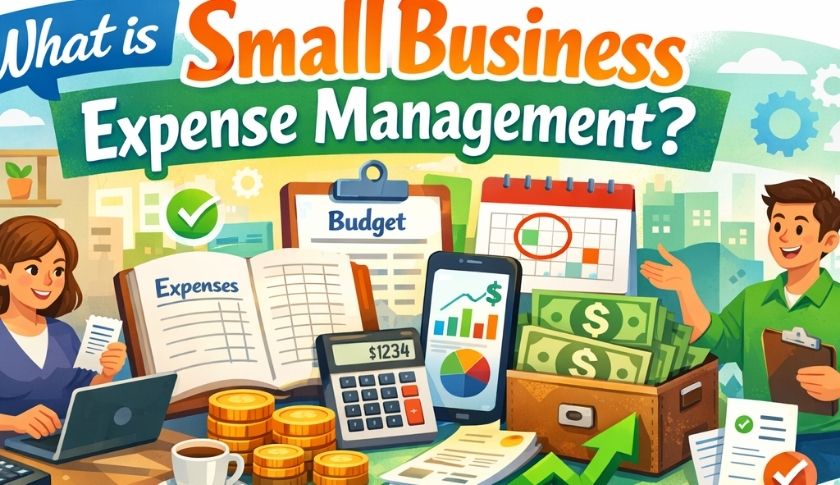
Small business expense management refers to the systematic process of tracking, recording, organizing, and analyzing all business-related costs. It involves capturing every dollar spent, categorizing business spending, and maintaining accurate financial records for tax preparation and business decision-making.
For startups and small enterprises, expense management for small businesses is crucial for survival and growth. It provides business financial visibility, helps monitor cash flow regularly, and ensures compliance with tax regulations. Without proper expense tracking for startups, businesses often face cash flow issues in small business operations and miss valuable tax-deductible business expenses.
Why is Expense Tracking Important for Small Businesses?
Understanding how to manage business expenses can make the difference between success and failure. Here’s why small business expense tracking matters:
Financial Control and Visibility
When business owners track business expenses easily, they gain real-time expense insights into where money is going. This visibility helps identify spending patterns, reduce unnecessary business costs, and maintain financial discipline for small businesses.
Tax Benefits and Compliance
Proper expense compliance and audit preparation ensure businesses can claim all legitimate deductions. Recording business expenses accurately throughout the year makes tax preparation smoother and prevents potential issues with tax authorities.
Better Decision Making
With accurate monthly expense reports and profit and loss tracking, entrepreneurs can make informed decisions about investments, pricing, and cost-cutting measures. This is essential for small business bookkeeping basics.
What Expenses Should a Small Business Track?
A comprehensive beginner’s guide to business expenses includes tracking various cost categories:
| Expense Category | Examples |
| Operating Costs | Rent, utilities, insurance |
| Marketing | Advertising, website, promotional materials |
| Equipment | Computers, machinery, furniture |
| Supplies | Office supplies, inventory, materials |
| Professional Services | Legal fees, accounting, consulting |
| Employee Costs | Salaries, benefits, training |
| Travel | Transportation, accommodation, meals |
| Technology | Software subscriptions, IT services |
Understanding these categories is fundamental to the expense management process and helps with automated expense categorization when using digital tools.
How Do Beginners Manage Business Expenses?
Learning how to manage small business expenses as a beginner doesn’t have to be complicated. Here’s a simple expense management guide that breaks down the process:
Step 1: Separate Personal and Business Expenses
One of the most critical steps is to separate personal and business expenses from day one. Open dedicated business bank accounts and credit cards to avoid confusion and simplify record-keeping. This practice is essential for small business accounting and makes tax filing significantly easier.
Step 2: Choose an Expense Tracking Method
Beginners have several options for tracking expenses:
- Manual Tracking: Writing expenses in a notebook (not recommended for long-term use)
- Spreadsheets: Using Excel or Google Sheets for basic tracking
- Digital Solutions: Implementing a business expense management system or expense tracker tool
Modern business owners benefit most from using an online expense tracker for small businesses that offers cloud-based expense tracking capabilities. These tools eliminate manual expense tracking problems and provide features like digital receipt management and expense analytics.
Step 3: Capture and Record Every Expense
To record business expenses accurately, implement these practices:
- Keep all receipts and save them digitally
- Track receipts and invoices immediately after purchases
- Include details like date, amount, vendor, and purpose
- Use mobile apps for on-the-go expense capture
- Categorize expenses as they occur
Services like Expensetrackertool.com offer mobile-friendly interfaces that make capturing expenses simple, even for those with no accounting knowledge required.
Step 4: Implement Regular Review Processes
How often should small businesses review expenses? Ideally, weekly for small transactions and monthly for comprehensive reviews. This routine helps catch expense tracking mistakes early and maintains accurate financial reporting.
How to Organize Business Expenses Efficiently
Organizing expenses efficiently requires both good habits and the right tools. Here’s the best way to track expenses for a small business:
Daily Habits
- Collect and photograph receipts immediately
- Enter expenses into your tracking system daily
- Use consistent category names
Weekly Tasks
- Review and reconcile bank statements
- Ensure all expenses are categorized correctly
- Flag any unusual or questionable charges
Monthly Responsibilities
- Generate comprehensive monthly expense reports
- Compare actual spending against budgets
- Review financial reporting for trends
- Prepare documentation for cash flow management
How Can I Automate Expense Tracking?
Automation is the key to overcoming manual expense tracking problems. Modern expense management software for beginners offers features that streamline the entire process:
Automated Features to Look For:
- Receipt scanning with OCR technology for digital receipt management
- Bank feed integration for automatic transaction imports
- Smart categorization using automated expense categorization
- Recurring expense scheduling
- Real-time expense tracking and alerts
- Automated expense reporting tool capabilities
Platforms like Expensetrackertool.com provide these automation features in a beginner-friendly expense tools package. Users can automate expense tracking without complex setup or technical expertise.
Why Expensetrackertool.com Stands Out for Beginners
Expensetrackertool.com was specifically designed with beginners in mind, offering a straightforward solution that eliminates the complexity typically associated with financial management. The platform features an intuitive expense dashboard that provides a clear overview of spending patterns at a glance, making it easy for business owners to understand their financial position without any accounting background.
With automated expense categorization powered by smart technology, users simply upload receipts, and the system intelligently sorts expenses into appropriate categories, saving hours of manual data entry each week. The cloud-based expense tracking capability means entrepreneurs can capture expenses on the go using their smartphones, whether they’re at a client meeting, traveling for business, or making a quick supply run.
Real-time expense insights help users identify potential overspending before it becomes a problem. At the same time, the digital receipt management feature ensures that no documentation is ever lost—a common issue that costs businesses thousands in missed tax deductions annually. The platform also generates professional monthly expense reports with just one click, transforming what used to be a dreaded task into a simple process.
What truly sets Expensetrackertool.com apart is its beginner-friendly approach: the setup takes less than 5 minutes, no training is required, and the free plan allows small businesses to start tracking immediately without any financial commitment. As businesses grow, the platform scales effortlessly, offering advanced features like expense analytics, team collaboration, and seamless integration with popular accounting software, making it the ideal companion from the startup phase through expansion.
Common Expense Tracking Mistakes to Avoid
Understanding expense tracking mistakes helps entrepreneurs avoid costly errors:
- Mixing Personal and Business Finances: This creates confusion and complicates tax preparation
- Inconsistent Recording: Sporadic tracking leads to inaccurate expense reports and missing deductions
- Poor Receipt Management: Losing receipts means losing proof for tax-deductible business expenses
- Inadequate Categorization: Improper categories make financial reporting meaningless
- Ignoring Small Expenses: Small costs add up and affect profit and loss tracking
What is the Best Expense Management Tool for Beginners?
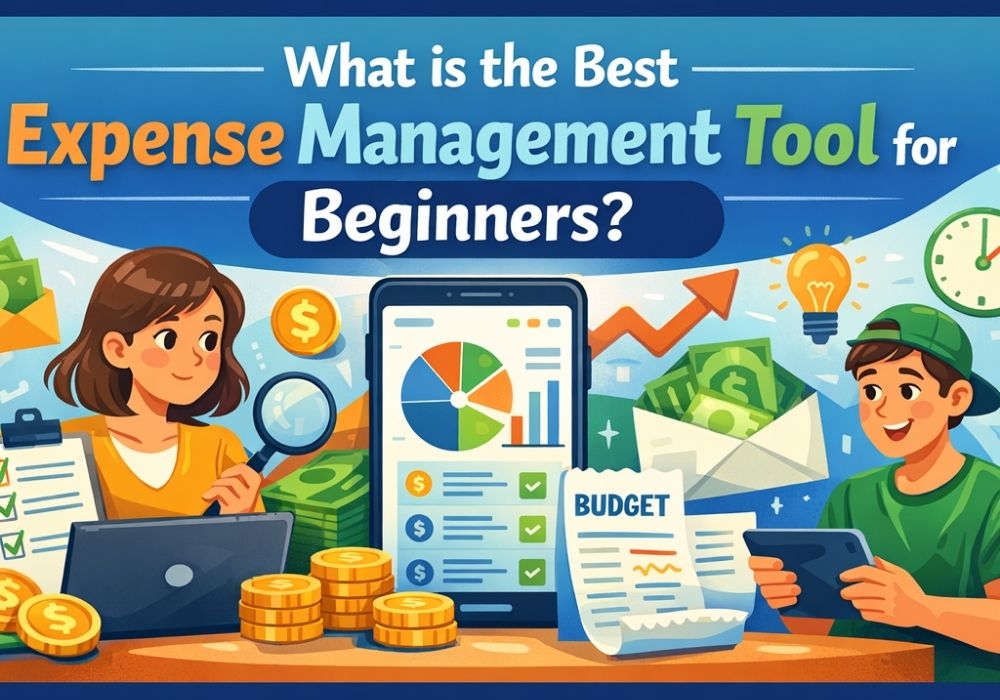
When evaluating the best expense management software for small business operations, consider these factors:
Essential Features:
- User-friendly interface with easy expense tracking methods
- Mobile accessibility for expense management on the go
- Cloud-based expense tracking for access anywhere
- Automated features to minimize data entry
- Comprehensive expense dashboard for quick insights
- Integration with small business accounting software
- Reliable customer support
Free vs Paid Expense Tracking Tools:
Many businesses start with a free expense management tool or a free small business expense tracker online to test functionality. As operations grow, upgrading to paid versions often provides additional features like advanced expense analytics, multiple users, and better bookkeeping software integration.
Expensetrackertool.com offers a balanced approach with robust features suitable for expense management for beginners while scaling to meet growing business needs. The platform provides a simple expense management system for startups without overwhelming new users.
Building a Simple Expense Management System for Startups
Creating a simple expense management system for small businesses involves these key components:
- Standardized Process: Establish clear procedures for how to track expenses step by step
- Regular Habits: Build routines around expense capture and review
- Appropriate Tools: Select business finance tools that match your technical comfort level
- Documentation Standards: Maintain consistent invoicing and receipts filing
- Review Schedules: Set calendar reminders for financial reviews
This approach to small business expense management without accounting complexity helps entrepreneurs maintain control while focusing on growing their business.
How to Stop Overspending in Business
Managing expenses isn’t just about tracking—it’s about control. Here’s how to stop overspending in business:
- Set realistic budgets for each expense category
- Use your expense dashboard to monitor spending in real-time
- Create approval processes for large purchases
- Review expense analytics monthly to identify trends
- Implement spending limits on business cards
- Challenge every recurring expense periodically
These practices contribute to better cash flow management and help businesses avoid cash flow issues in small business operations that often lead to failure.
The Role of Technology in Small Business Finance Basics
Modern SaaS expense tools have revolutionized how entrepreneurs approach small business finance basics. Cloud-based platforms offer:
- Accessibility from any device, anywhere
- Automatic backups and data security
- Real-time collaboration with accountants
- Integration with other business finance tools
- Scalability as businesses grow
Accounting automation through these platforms eliminates tedious data entry and reduces human error, making it possible for business owners to maintain accurate books without hiring full-time bookkeepers.
Implementing Your Expense Management Process
Taking action on this expense management explained guide is straightforward:
- Choose Your Tool: Select a business expense organizer that fits your needs (consider starting with Expensetrackertool.com’s affordable expense tracker for startups)
- Set Up Categories: Create relevant expense categories based on your business type
- Connect Accounts: Link bank accounts and credit cards for automatic tracking
- Establish Routines: Block time weekly for expense review
- Train Team Members: If you have employees, ensure everyone understands the system
- Monitor and Adjust: Refine your process based on what works
Conclusion
Mastering small business expense tracking doesn’t require advanced accounting skills or complex systems. By understanding the fundamentals, choosing the right tools, and maintaining consistent habits, any entrepreneur can implement effective expense management for small businesses.
The key is starting simple with beginner-friendly expense management software and building good habits around recording, categorizing, and reviewing expenses. Whether using sophisticated platforms like Expensetrackertool.com or simpler solutions, the goal remains the same: maintain business financial visibility, ensure expense compliance and audit readiness, and make informed decisions based on accurate financial data.
Remember, this expense management guide for first-time business owners is just the beginning. As businesses grow, their needs will evolve, but the foundational principles of tracking receipts and invoices, maintaining financial discipline for small businesses, and using real-time expense insights for decision-making remain constant.
Start implementing these practices today, and watch how proper small business expense management transforms financial clarity and business success.
FAQs
Q: What is the difference between expense tracking and expense management?
A: Expense tracking focuses on recording and organizing business costs, while expense management encompasses the entire process, including tracking, analyzing, controlling, and optimizing expenses. Management provides strategic insights beyond just record-keeping.
Q: Do I need separate bank accounts for my small business?
A: Yes, separating personal and business finances is essential for accurate tracking, simplified tax filing, and professional financial management. It also provides legal protection and makes bookkeeping significantly easier.
Q: How long should I keep business expense records?
A: Generally, keep expense records for at least 7 years to comply with tax requirements and audit protection. Digital storage through cloud-based systems makes long-term record retention simple and secure.
Q: Can I track expenses using just a spreadsheet?
A: While spreadsheets work for very small operations, they lack the automation, real-time insights, and mobile accessibility that modern expense management tools provide. They also increase the risk of manual errors and are time-consuming.
Q: What’s the biggest mistake beginners make with expense management?
A: The most common mistake is mixing personal and business expenses, which creates tax complications and makes accurate financial reporting nearly impossible. Inconsistent tracking and losing receipts are close seconds.
Q: Is expense management software expensive for startups?
A: Many platforms offer free or affordable plans specifically for startups and small businesses, with prices typically ranging from free to $15-30 per month. The time saved and errors prevented often make even paid tools cost-effective.
Q: How much time should I spend on expense management weekly?
A: With proper automation tools, most small business owners spend 30-60 minutes weekly on expense management. Without automation, this can balloon to several hours, making digital solutions worthwhile investments.
Q: What expenses are typically tax-deductible for small businesses?
A: Common deductible expenses include office supplies, business travel, marketing costs, professional services, equipment, software subscriptions, and home office expenses. Always consult a tax professional for specific guidance.
Q: Can expense management tools integrate with accounting software?
A: Yes, most modern expense management platforms integrate with popular accounting software like QuickBooks, Xero, and FreshBooks. This integration eliminates duplicate data entry and ensures consistent financial records.
Q: Should I hire a bookkeeper or use expense management software?
A: For most small businesses, starting with expense management software is more cost-effective, with options to add bookkeeper support as you grow. Software handles daily tracking while bookkeepers can provide periodic reviews and strategic advice.
Q: What happens if I don’t track my business expenses properly?
A: Poor expense tracking leads to missed tax deductions, cash flow problems, inaccurate financial reporting, and potential audit issues. It also makes informed business decisions nearly impossible and can result in overspending.
Q: Are cloud-based expense tools secure for sensitive financial data?
A: Reputable cloud-based expense management tools use bank-level encryption, secure servers, and regular backups to protect financial data. They’re often more secure than paper records or local computer storage.

Finance & Expense Automation Specialist With 3 years of experience.